
Slotornado Casino app: install in three taps
Put Slotornado Casino on your phone home screen, with separate steps for Android and iPhone.
- AndroidChrome
- iPhone (iOS)Safari
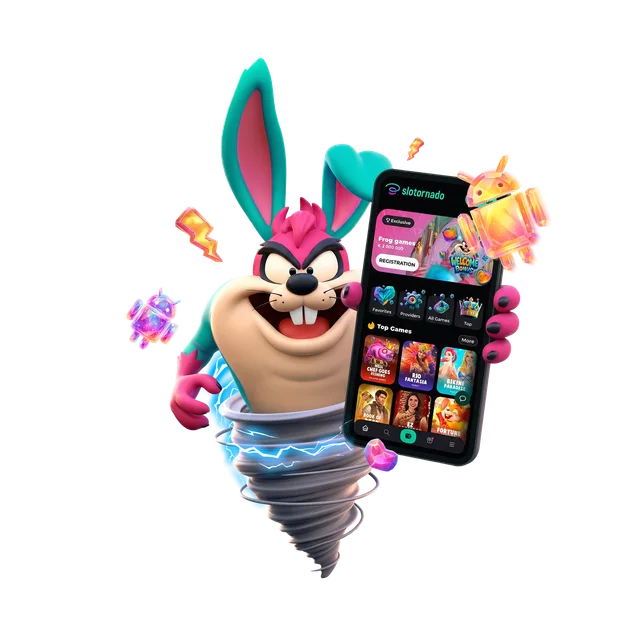
Put it on your home screen
It is a web app. Add it to your home screen and it opens full screen with the same lobby, cashier and live chat.
It is a web app, so no store is involved. The steps for your phone are just below.
- No store, no download: Slotornado Casino installs from the browser.
- From your home screen it opens full screen with the same lobby, cashier and live chat.
- Android: Chrome menu, then Add to Home screen. iPhone and iPad: Safari Share sheet, then Add to Home Screen.
Put it on your home screen
Android
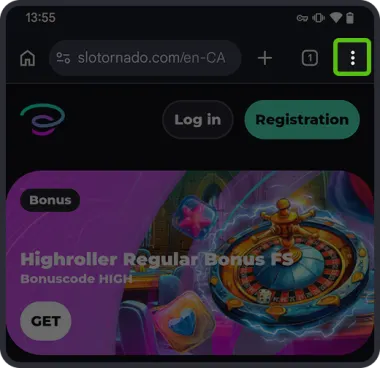
1Open the site in Chrome and tap the three-dot menu.
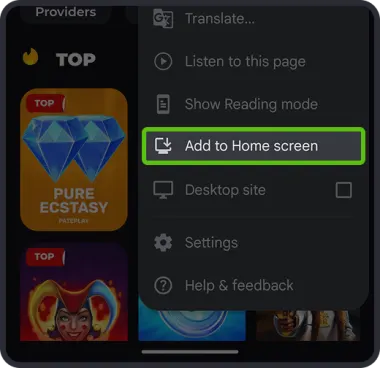
2Pick "Add to Home screen".
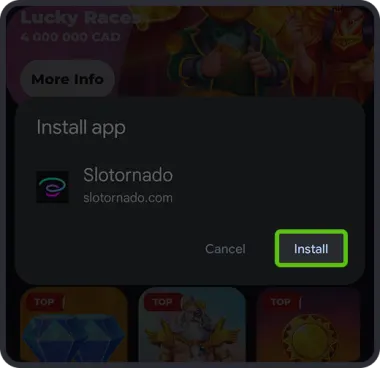
3Tap "Install" to confirm.
iPhone (iOS)
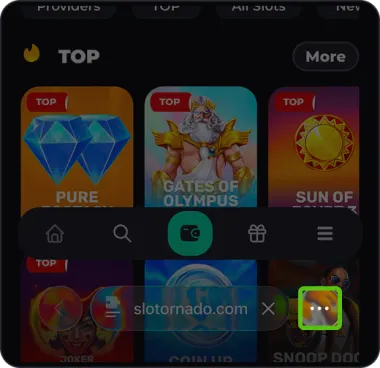
1Open the site in Safari and tap the three dots in the address bar.
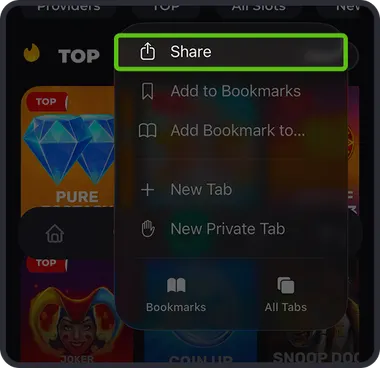
2Tap Share.
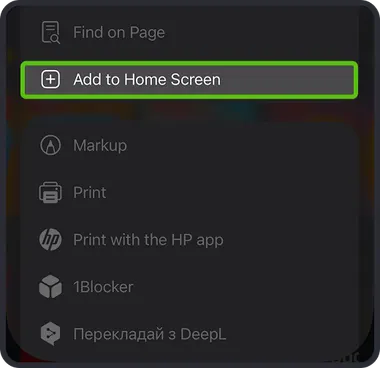
3Scroll down to "Add to Home Screen".
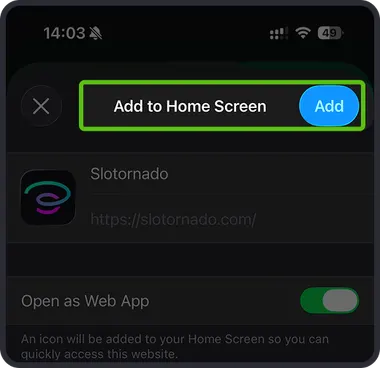
4Hit Add in the top right.
Four quick app answers
Do I need an app store account?
No. The app is the site itself, pinned to your home screen from the browser.
Which browser?
Chrome on Android, Safari on iOS, exactly as in the steps above.
Is the cashier inside the app?
Yes. The home-screen app opens the same lobby, cashier and live chat as the site.
Stuck on the install?
Ask in live chat in the corner of the site or write to support@slotornado.com.